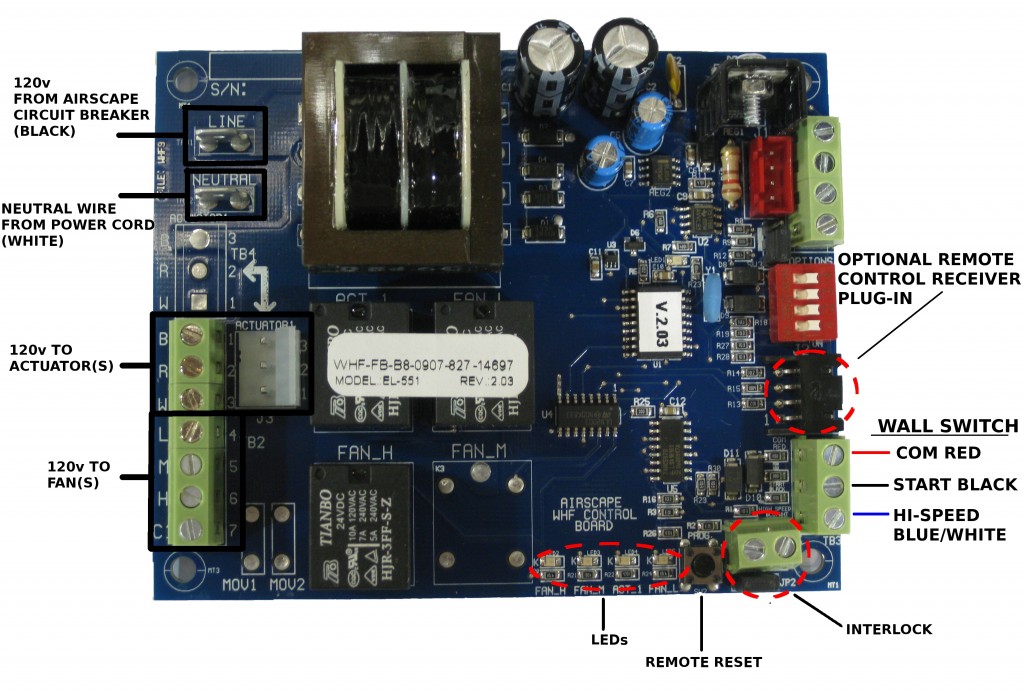
NOTE: The following instructions do not apply to the Kohilo 1.5 or 2.8
NOTE: The following instructions do not apply to units newer than July of 2013. Please call for compatibility
We often get asked how to use a timer with our whole house fans. The short answer is to purchase the optional wireless remote which has a built in timer. But for people who prefer a wall switch there is a solution for you. You can wire a mechanical turn dial timer to operate your WHF. We recommend a mechanical timer because most digital timers require 110v. Our controls are 24v and hooking up 110v would damage the AirScape control board. We also want the process to be a manual one so that you remember to open a window. The following shows two ways to wire a timer with your AirScape WHF:
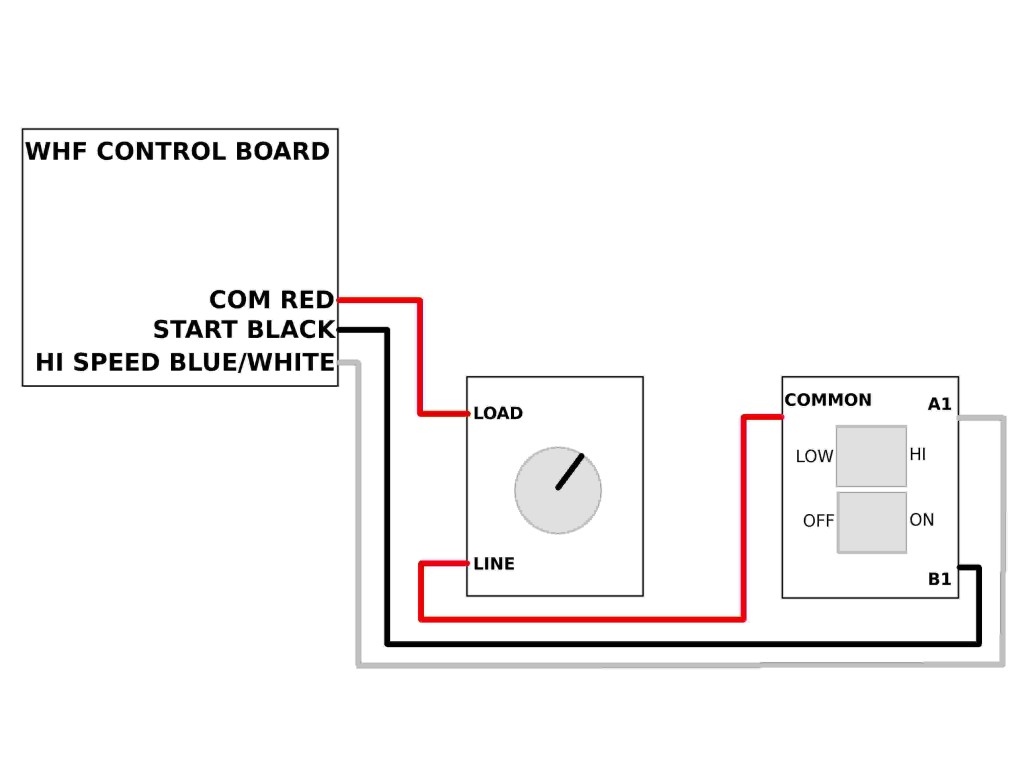
OPTION 1: TIMER AND AIRSCAPE WALL SWITCH
OPERATION:
ON – Wall switch in on position, turn timer to desired time, chose fan speed
OFF – Switch wall switch to OFF or timer expires
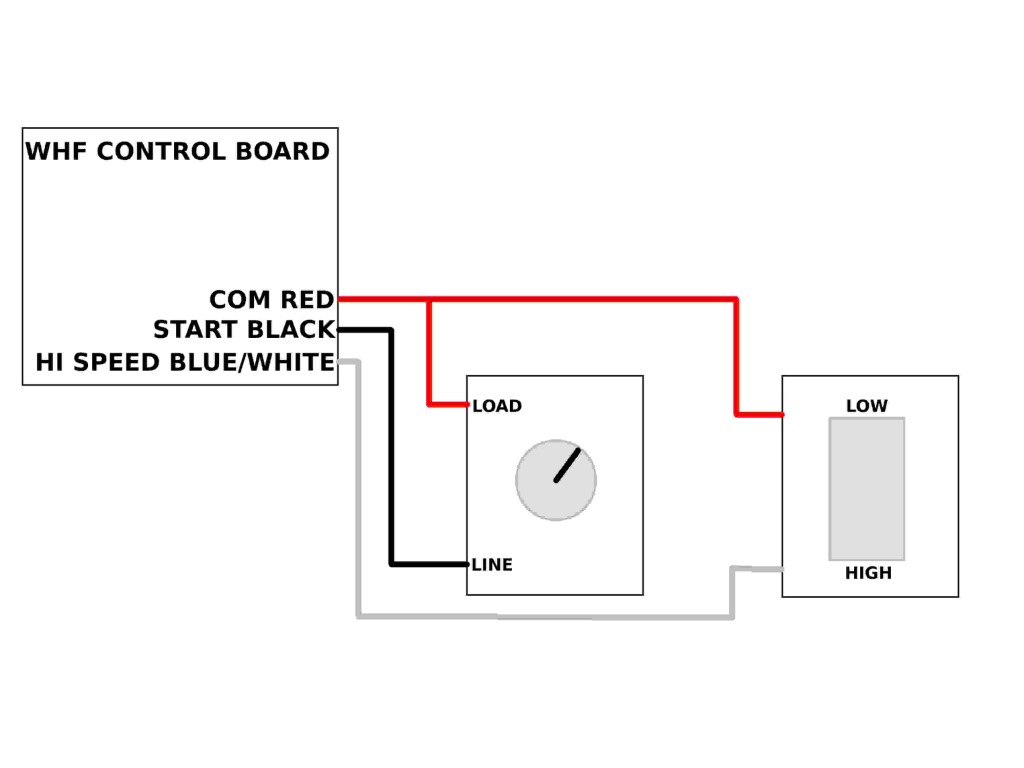
OPTION 2: TIMER AND CUSTOMER SUPPLIED SINGLE POLE SWITCH
OPERATION:
ON – Turn timer to desired time, choose fan speed
OFF – Timer expires
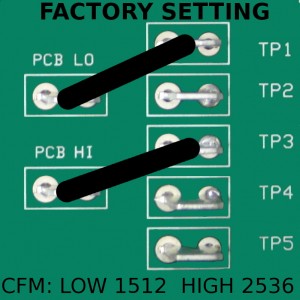
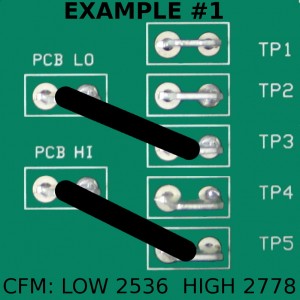
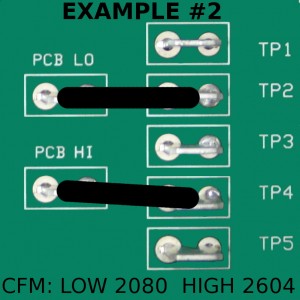
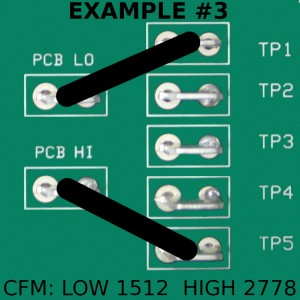
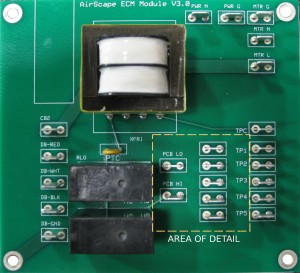 Not only does the AirScape 2.5e have phenomenally low energy use, the user can also select up to 5 different CFM settings. The 2.5e fan motor has inputs which we program at different CFM. From the factory it is set for a low speed of 1512 CFM at 42 watts and a high speed of 2536 CFM at 196 watts. Now let’s say that the factory low speed setting does not provide enough airflow to properly cool your home over night. The fan speed settings can easily be adjusted for more airflow. For example, you could change the low speed from 1512 CFM to 2080 CFM. At the same time you could also adjust the high speed setting so that the fan will move 2604 CFM on high (see example #2). This is as simple as moving the low and high speed wires on the 2.5e fan control board (located on the fan housing) to different connections. The fan speed adjustment is described below: